Site Stripper
Collect the site details you need for a rebuild.
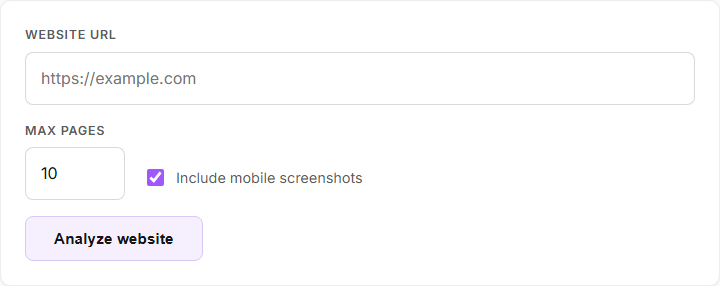
Enter a public website and choose a page limit. Site Stripper finds pages, lets you select what to include, then organizes page data and design notes in a downloadable pack.
What the analysis pack contains
After discovery, choose which pages to include. Site Stripper organizes page content, navigation, assets, layout observations and design tokens into a downloadable ZIP.
The hosted version exports metadata and rebuild documentation. It does not include screenshot files, even though the form still shows a screenshot option. Heavy websites may also return a partial report when the daily browser budget runs low.
-
Page map and analysis
Selected pages, content, navigation, assets, layout notes and the run report are organized in JSON files.
-
Design references
Separate guides cover observed design tokens, typography, responsive behavior, content style, imagery and interactions.
-
Files for the next build
The ZIP includes a rebuild guide, Markdown notes, a CSS theme, Tailwind configuration and structured data.
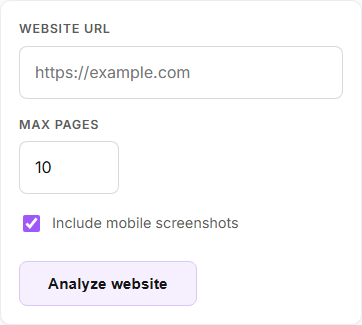
The form also works on a phone.
These screenshots show the live app before any website analysis is submitted.
Claude assisted development.
Claude helped with parts of Site Stripper’s development and feature work. The live product’s analysis is not described as using the Claude API.
Site Stripper currently gathers and organizes website information. The downloadable pack is made from those observations and the app’s own templates.
How CHEEE works with AI-
Choose a public site
Provide a website address and set the maximum page count for the analysis.
-
Review discovered pages
Inspect the pages found and choose which selected material should be analyzed.
-
Download the pack
Export structured data, token references and rebuild documentation as a ZIP file.
Have a website worth unpacking?
Open Site Stripper to inspect a public website and download its analysis pack.